Thank you. Here is how to turn on Pro.
Pro starts working once your license key is in the TableHarvest side panel. It takes three steps.
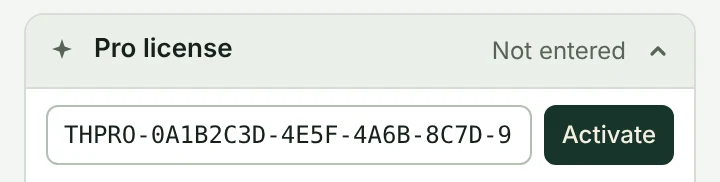
- Find your license keyIt is on Polar’s order confirmation screen and in the email Polar sent you when you bought. The key starts with
THPRO-. - Open “Pro license” in the panelClick the TableHarvest icon in the Chrome toolbar to open the side panel, then open Pro license at the bottom.
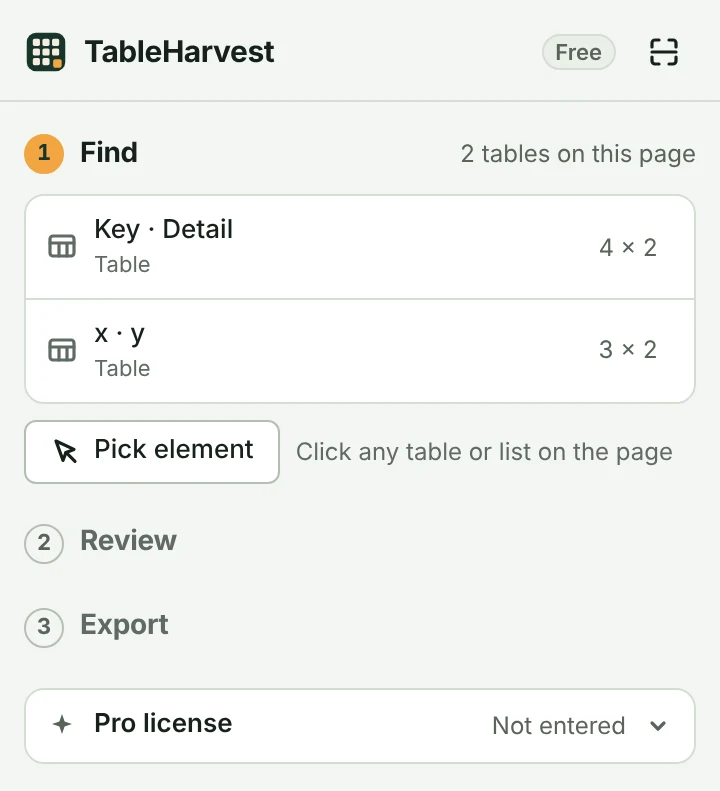
- Paste the key and press “Activate”The badge at the top right changes from Free to Pro.

Good to know
- Lost the key? Sign in to the Polar customer portal with the email you bought with. Your keys and receipts are there.
- Up to 3 computers. One key works in 3 browsers or computers at once.
- Moving to another computer? Open Pro license and press “Remove license”, then activate the key on the new one.
- Something not working? Write to support@quillfold.dev.